Dual Display Modes
Display widgets separately from your navigation app or overlay them directly in the navigation area. Choose the layout that works best for your driving experience.
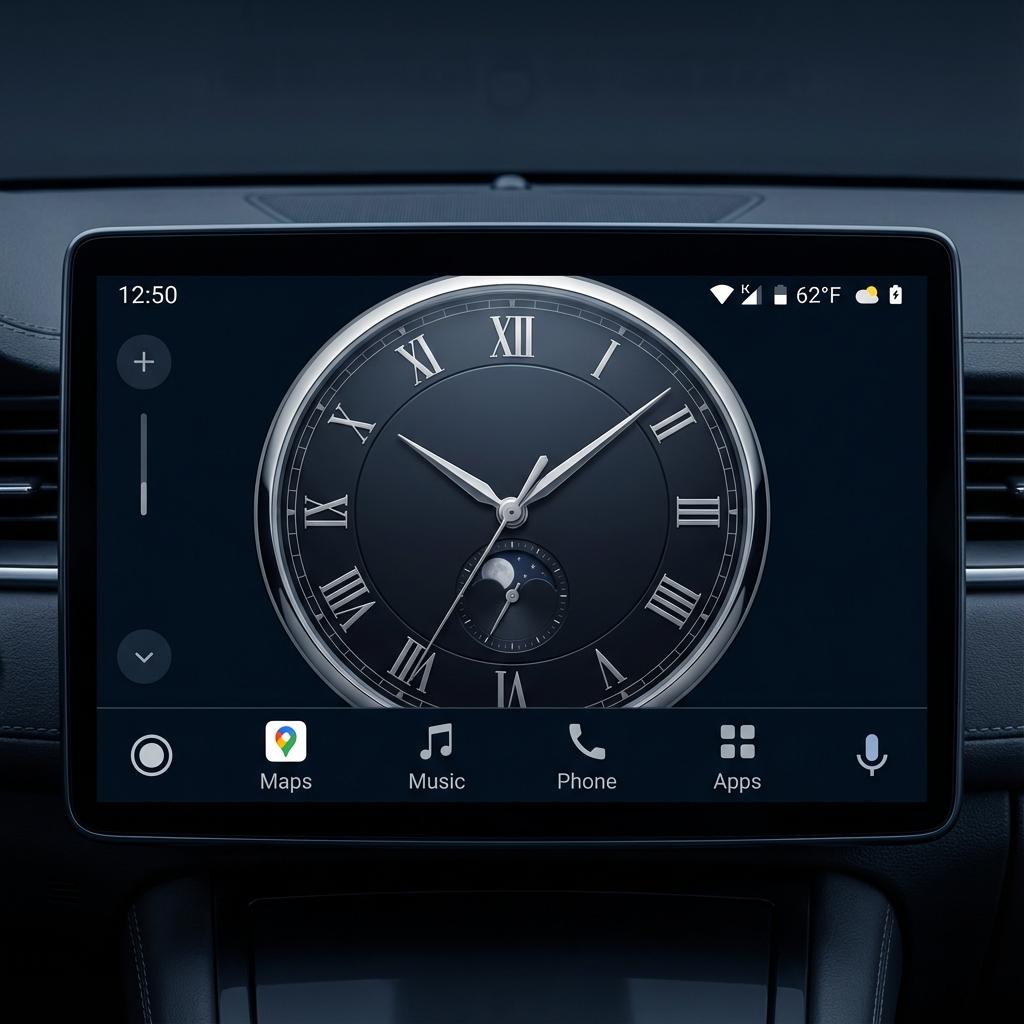
AAWidget brings the flexibility of Android widgets to your car's head unit. Customize your driving experience with features designed for the road.
Display widgets separately from your navigation app or overlay them directly in the navigation area. Choose the layout that works best for your driving experience.
Interact with your widgets using tap and scroll gestures. Control music, check weather, or manage tasks without leaving the Android Auto interface.
Personalize your widget display with any color you want. Set custom hex color codes to match your car interior or personal style.
Add beautiful wallpapers behind your widgets. Upload any image from your device to create a truly personalized Android Auto experience.
Built using the official Android Auto SDK for better compatibility and stability. A more reliable foundation than unofficial alternatives.
Minimal battery and resource usage. AAWidget runs efficiently in the background without affecting your phone or car system performance.
Add any Android widget to your car display. Clocks, weather, calendars, music players, smart home controls, and more.
Continue using Google Maps, Waze, or other navigation apps alongside your widgets. Switch seamlessly between navigation and widget views.
Compare AAWidget with other Android Auto widget solutions to see which features matter most for your driving experience.
Experience how Android Auto widgets look on real car head units. From compact displays to widescreen systems, AAWidget adapts to your setup.
Get Android Auto widgets running on your car display in just a few minutes. Follow this step-by-step installation guide.
AAWidget is not available on Google Play Store as it does not comply with Android Auto design policies. This is standard for apps that extend Android Auto functionality beyond official guidelines. For Android 14+, you'll need AAWireless to run non-certified apps.
Download the latest AAWidget APK from the GitLab releases page. The app is free and open source.
Open Android Auto settings, tap "Version" at the bottom to show version info, then tap it 10 times to enable developer mode.
In Android Auto Developer settings, enable "Unknown sources" to allow non-Play Store apps.
Launch AAWidget, grant location permission, set your preferred background color or wallpaper, and add widgets.
Connect to your Android Auto head unit using AAWireless. Make sure Developer settings are enabled in the AAWireless app.
Widget 1: Displays in navigation area
Widget 2: Displays separately from navigation
AAWidget doesn't need to be visible on your phone. Once configured, it runs in the background.
Make sure your setup meets these requirements before installing AAWidget for the best Android Auto widget experience.
For Android 13 and earlier, AAWidget may work without AAWireless using KingInstaller or similar methods, but this hasn't been officially verified.
Get answers to common questions about AAWidget, Android Auto widgets, installation, and compatibility.
AAWidget is a free Android app that lets you display any Android widget on your car's Android Auto head unit. It works by creating a custom Android Auto screen that renders your selected widgets, allowing you to see clocks, weather, calendars, and more while driving.
Still have questions? Open an issue on GitLab
Download AAWidget for free and transform your car's head unit with custom widgets. Join thousands of drivers enjoying a personalized Android Auto experience.
Using Android 14+? You'll also need AAWireless